


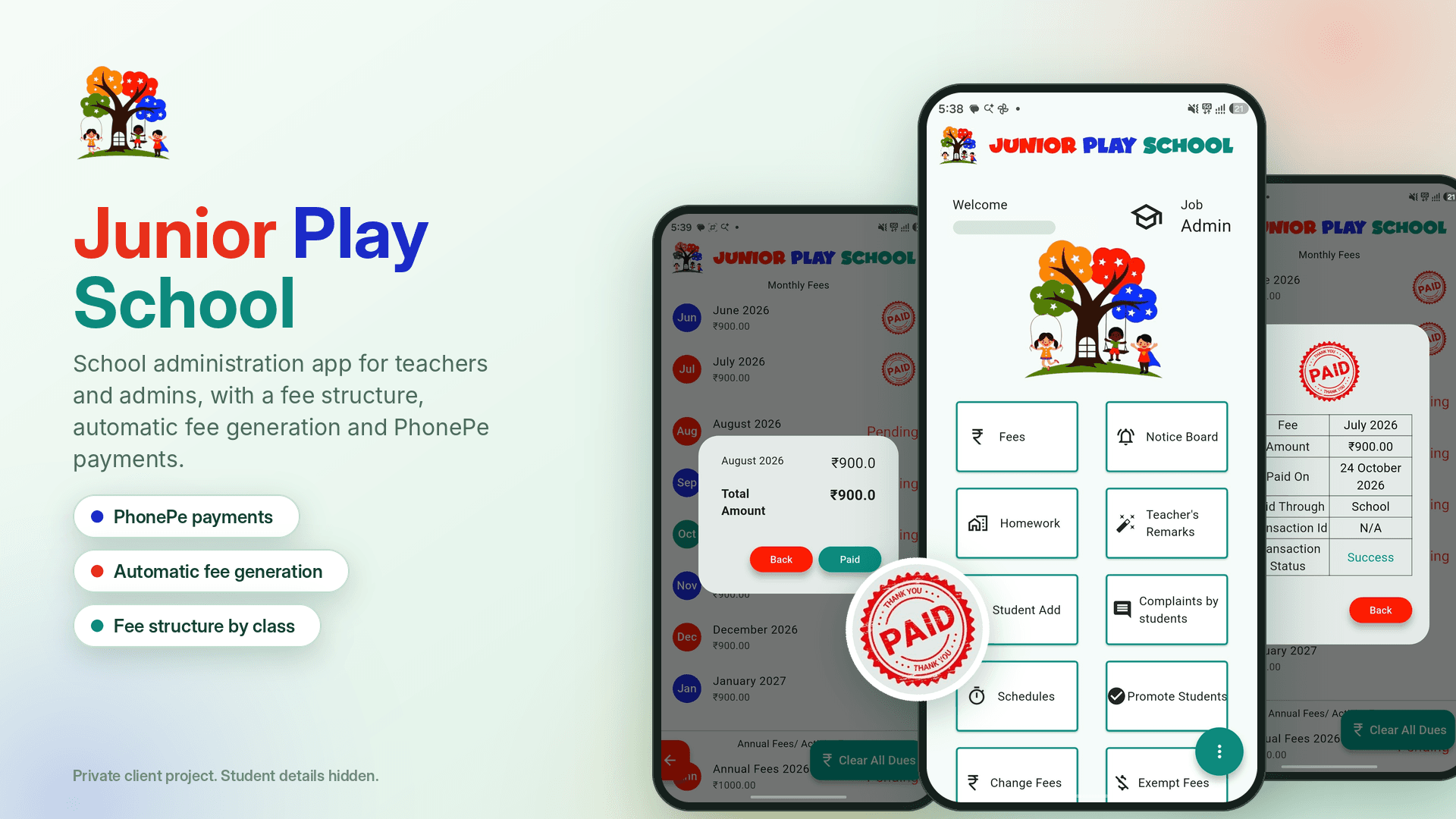
What needed to be engineered
Teachers and school administrators needed one mobile app to manage student records, parent information, fees, homework, notices, schedules, complaints and academic remarks.
Boundaries & non-negotiables
- [01]Support multiple school administration workflows in a single mobile interface.
- [02]Reliable cloud storage and real-time access for student and fee information.
- [03]A simple, accessible interface for teachers with different technical skill levels.
- [04]Clear tracking of paid, due, exempted and activity-related fees.
System flow & boundary isolation
Flutter presentation layer with reusable widgets and screen-based feature modules. Firebase Authentication manages secure access, Cloud Firestore stores teachers, parents, students, fees, homework, notices, complaints, remarks and schedules, and Firebase Storage handles uploaded images and documents.

Teachers and administrators authenticate securely, open role-relevant tools, manage school data through Firebase, and update information in real time.
Authentication
Teachers and administrators sign in using Firebase Authentication.
Dashboard Access
Users reach student, fee, communication and academic management modules.
Data Management
Student, parent, fee, homework, notice, schedule and remark data lives in Cloud Firestore.
Communication
Teachers publish homework and notices and manage complaints and remarks.
Financial Tracking
Staff manage paid fees, outstanding dues, exemptions, receipts and fee structures.

The app separates school responsibilities into focused modules while keeping data access centralized through Firebase services.
- SEC-[01]Authentication is handled separately from application data.
- SEC-[02]Student and parent records are maintained as distinct entities.
- SEC-[03]Fee collections are separated into paid, due, exempted and fee structure records.
- SEC-[04]Academic communication is separated into homework, notices, schedules, complaints and teacher remarks.
- SEC-[05]Reusable UI components reduce duplication across feature screens.
Why this choice over alternatives
Used Flutter for cross-platform mobile development.
Cut platform-specific code and sped up development, at the cost of careful Android-specific configuration.
Used Firebase Authentication and Cloud Firestore.
Gave real-time data synchronization and simple backend maintenance, with a deeper dependency on Firebase services.
Built reusable form fields, buttons, app bars, search components and table rows.
Improved consistency and maintainability, at the cost of upfront component design.
Separated features into focused screens and data models.
Made the codebase easier to navigate and extend, with more files and navigation to manage.
Early feature work focused on individual screens, which made consistency and shared UI behavior harder to maintain. Reusable components and common Firebase functions were later emphasized to fix that.
Verified delivery & outcomes
Delivered a centralized Android app that streamlines school administration, speeds up access to student and financial records, and lets teachers publish homework, notices, schedules, remarks and complaints from one place.